Recruiting & back office for day-rate & energy staffing
Source, credential and place the crew. Then capture their time, enforce approval, pay them correctly under wage-and-hour law, invoice the operator, and hand clean data to payroll and accounting.
Already a customer? Sign in.
The difference
Day-rate overtime isn't a setting. It's case law.
General-purpose staffing software is weakest exactly where day-rate work is hardest, because the rules can't be expressed as a checkbox — they have to be implemented correctly and kept current as they change. That engine is the centre of this platform, not a module bolted to the side of it.
- Day-rate overtime under Helix Energy Solutions v. Hewitt — a day rate alone doesn't satisfy the salary basis test, and the overtime that follows has to be computed accordingly.
- FLSA regular-rate blending across multi-assignment weeks, so a consultant working two rates in one week is paid on the correct blended rate rather than whichever rate happened to be last.
- Per-diem inclusion rules — allowances count toward the regular rate when they are compensation and are excluded when they are not.
- State regimes including California's 8/12 and seventh-day rules, Alaska, Colorado, Kentucky, Nevada and Puerto Rico.
Scope is United States wage-and-hour law. Regulatory maintenance is part of the service — when the rules move, the engine moves with them.
AI where it saves typing, and where it suggests.
Never where it decides what someone is owed.
Receipts and résumés are read for you. A near-miss candidate is offered to you, labelled, for
you to judge. Overtime is computed, not predicted.
Check it yourself
What a hitch actually costs under the FLSA.
A day rate does not remove the overtime obligation — it changes how the overtime is calculated. Put your own numbers in. The arithmetic below is the same treatment the platform applies when it prices a timesheet.
Illustrative only, and not legal or payroll advice — confirm your own treatment with your advisers.
How this is calculated, and what moves it
It shows the standard 29 CFR § 778.112 treatment for a day-rate worker — the day rate covers straight time for every hour worked, and overtime is owed as a half-time premium on the resulting regular rate. Real cases involve per-diems, multiple assignments and rates, bonuses, seventh-day rules and exemptions, all of which move the number.
The pipeline
One set of numbers, from the req to the general ledger.
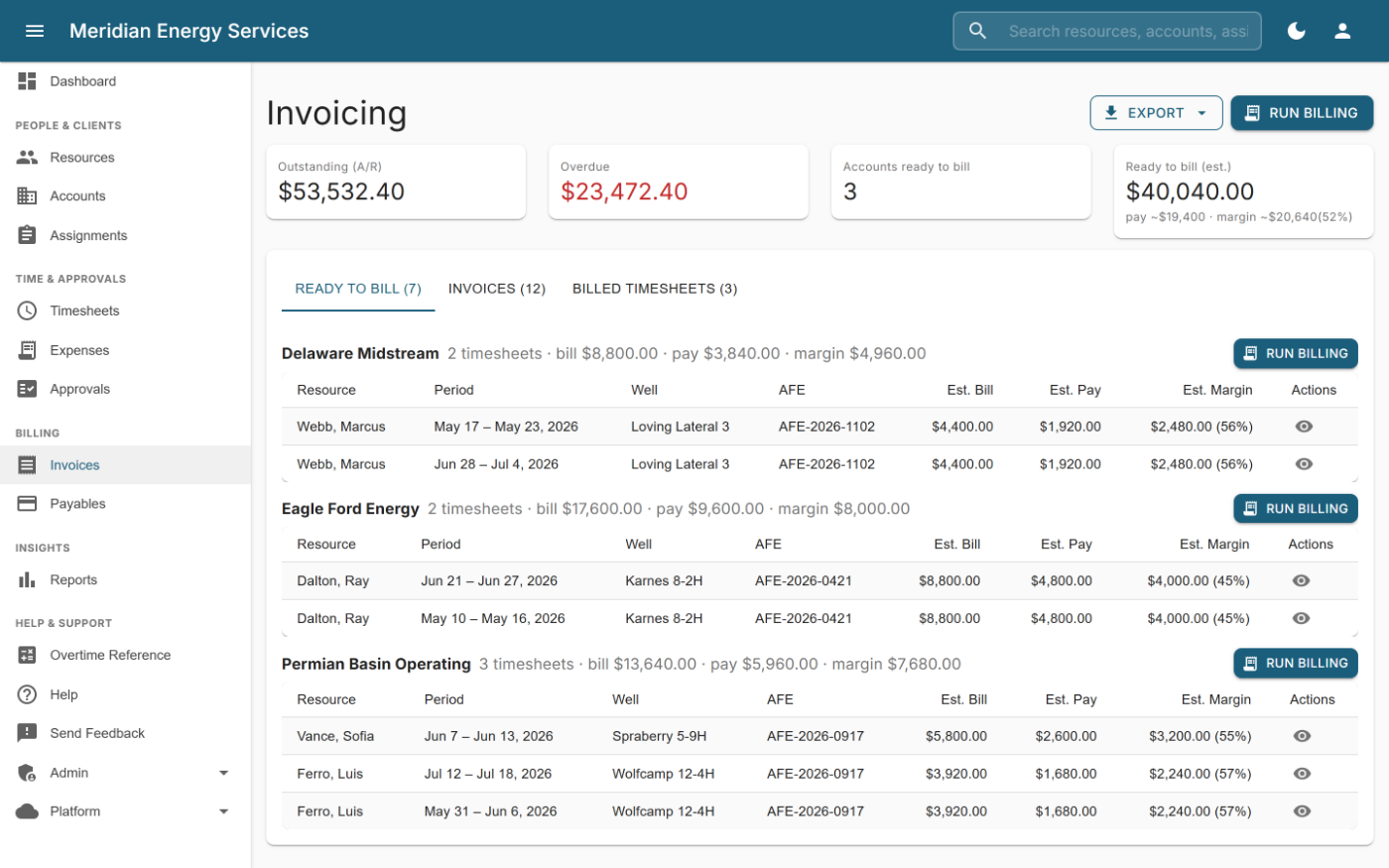
Bill and pay are computed by the same engine, so an estimate reconciles to the penny against the invoice and the payable it becomes. Nothing is re-keyed between stages — including the handover from recruiting, where a placement becomes a billable assignment with its rates, rotation and jurisdiction already filled in.
-
01
Source
Your own talent pool first — people you have already paid, with their tickets and rotations on file. Public apply links, résumé parsing, and search that reads the résumé text as well as the tags.
-
02
Submit & place
A pipeline per req, with the credential gate in front of the placement: someone missing a ticket the client demands is refused, by name, before they are ever sent.
-
▲ Recruiting module · ▼ Pay & bill module — buy either half, or both. One spine underneath.
-
03
Capture
Web and native iOS and Android apps. Time entered offline in the field syncs when a signal returns.
-
04
Approve
Configurable multi-stage approval chains per account, with signature and stamp. Your clients approve their own consultants' time through a portal that exposes nothing else.
-
05
Invoice
Rate snapshotting, per-account billing rules, day-rate-as-hourly, Well and AFE tagging, recurring and retainer billing, credit memos, sales tax and multi-currency.
-
06
Pay
Consultant pay from the same calculation as the bill, with approval workflow, ACH batch export, adjustments and clawbacks.
-
07
Hand off
A payroll vendor file with earnings split by category, and QuickBooks-importable GL journals with reversing entries — protected so nothing is exported twice.
How it works
Two modules, drawn end to end.
What a hand's journey looks like inside the system — from the first contact to a placed assignment, and from a week in the field to an invoice and a paycheck that agree to the penny.
Recruiting — every stage tracked, every exit explained
Watch one hand go through: the pipeline, the gate that refuses an expired ticket by name, the renewal, the placement, and the one click that makes it billable work. With both modules that assignment is where the second drawing begins — the animation follows it down.
Pipeline stage — one card or a batch, the record follows The gate — tickets and e-signed paper; refuses what other systems allow Placement — done at the desk, on purpose
Pay & bill — one calculation, two outputs
A week in the field becomes an approved timesheet, runs through the wage-and-hour engine once, and comes out as the invoice and the payable — the same math on both sides.
Process step — every transition timestamped and audited The engine — the math general-purpose software doesn't do Money lands — invoice paid, hand paid
The recruiting module
Recruiting that knows what the site will refuse.
Every applicant tracker can move a card across a board. This one is wired to the same rules that govern the invoice, so what bounces a submittal is caught before the candidate is sent — not after the client turns them away at the gate.
The ticket gate
List what a client demands — H2S, SafeLand, site orientation, a drug screen inside 90 days. Placing someone with paper outstanding is refused, and names what is missing. Override with a reason; the waiver is recorded.
Barred from one operator, placeable on the next
An operator refuses somebody after an incident on their lease. Treating that as a global do-not-hire costs you every other placement they could have made. Bars are per client, carry a reason, and hold on the public apply link too.
Placement becomes an assignment
One click turns a placement into billable work — rates, pay basis, jurisdiction, rotation and skills carried across. The seam most agencies bridge with a spreadsheet and a re-key.
- Redeployment — every placement ending inside your window, including the ones with no end date recorded, which are the ones nobody notices.
- Bench search — parsed résumé text as well as tags, with AI similarity for the near-misses an exact match drops (an instrumentation tech against a rig-electrician req), labelled as suggestions.
- Desk analytics — time to fill as a median next to the average, a funnel counted from what candidates ever reached, and spread grouped by currency and pay basis.
- Sales pipeline — what is in play on the accounts you already bill, held per currency and never summed across them.
How it is bought
Buy the half you are missing.
Most firms already own one half and are failed by the other, so it is sold in halves. People, clients, contacts, tickets, documents, sign-in and the audit trail are the spine underneath both — every account has them, on either plan.
Priced per office seat; your field hands and your clients' approvers are free. Start on either half and add the other when it earns its place. Turning a module off stops it cleanly — including anything it was scheduled to send on your behalf.
Also included
Not a starting point you build on. A working system.
Field mobile apps
Native iOS and Android. Submit a timesheet, capture a receipt, and approve from the field — offline-safe, so a week entered with no signal is never lost.
Expenses & receipts
Photograph a receipt and have it read for you — AI handles the typing. Reimbursement workflow and attachment storage included.
Client portal
Your customers approve time and review their invoices without visibility into rates, other accounts, or anything else in your tenant.
Multi-currency, held honestly
An invoice keeps the currency it was issued in for life, recorded at generation rather than read back from a setting somebody changed later. Totals report per currency and are never added together.
Why there is no exchange-rate conversion
Deliberately none. A blended figure at yesterday's rate is not a number you can invoice, pay or file, so we do not print one. US and Canadian dollars carry distinct symbols, so a CA$ total can never be mistaken for a US one.
Reporting
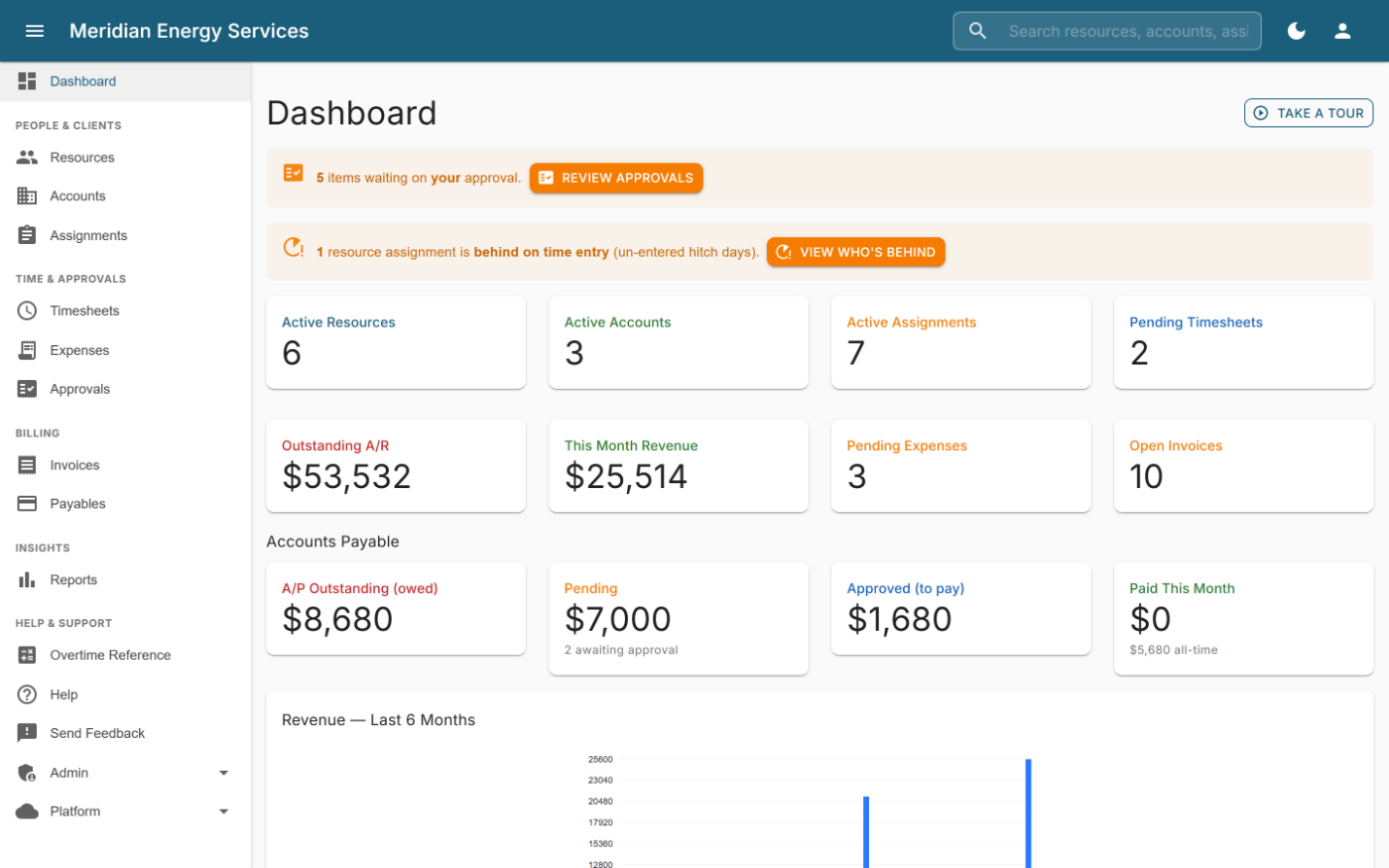
Revenue, utilisation, gross profit by consultant, DSO on a countback basis, and a twelve-month margin trend — from actual documents, not estimates.
Corrections that hold up
Approved time is never quietly rewritten. Amendments are tracked, priced against the week they amend, and flow through to credit memos and clawbacks.
Support
Direct access to the people who build the platform. No tiered queue.
Security & operations
Built for data you're accountable for.
The platform holds sensitive personal and financial information. It is built accordingly, and the controls are ordinary requirements here rather than a premium tier.
Detailed security documentation is provided under NDA during evaluation.
- Customer data isolation — your information is kept separate from every other customer's.
- Sensitive data encrypted at rest, including tax and banking information.
- Two-factor authentication via any standard authenticator app.
- Full audit trail across changes to money, approvals and access.
- Role-based access, with external client contacts confined to their own account.
- Enterprise cloud infrastructure with backups, monitoring and documented recovery procedures.